> ## Documentation Index
> Fetch the complete documentation index at: https://auth0-feat-sdk-reference-docs.mintlify.site/llms.txt
> Use this file to discover all available pages before exploring further.
> Learn how to configure your HTTP Vault Connections to authorize HTTP requests to external APIs or services.
# HTTP Vault Connection
## Configure your HTTP Vault Connection Options
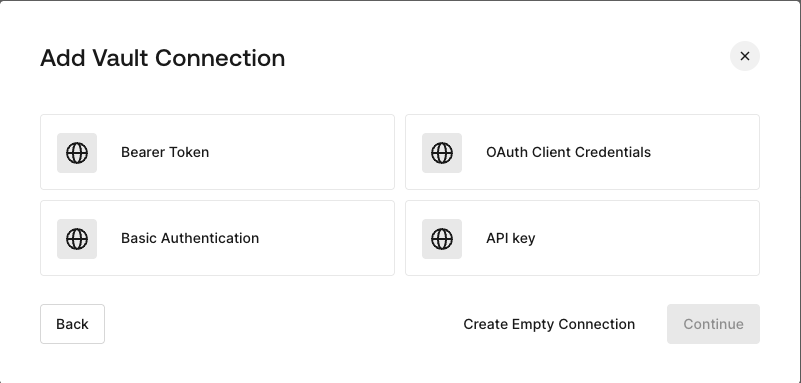
HTTP Vault Connection can be configure with different authentication options and then be used at your HTTP Request Flow Actions.
 ## Configure your HTTP Vault Connection for Bearer Token
To configure a HTTP Vault Connection using **Bearer Token** authorization, you need to set the required parameters.
## Configure your HTTP Vault Connection for Bearer Token
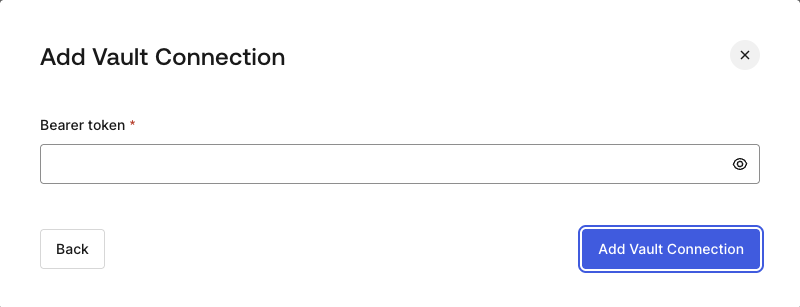
To configure a HTTP Vault Connection using **Bearer Token** authorization, you need to set the required parameters.
 ### Input settings
| Parameter | Description |
| - | - |
| Bearer Token | Static token used for external service authorization. |
## Configure your HTTP Vault Connection for OAuth Client Credentials
To configure a HTTP Vault Connection using **Client Credentials** authorization, you need to set the required parameters.
### Input settings
| Parameter | Description |
| - | - |
| Bearer Token | Static token used for external service authorization. |
## Configure your HTTP Vault Connection for OAuth Client Credentials
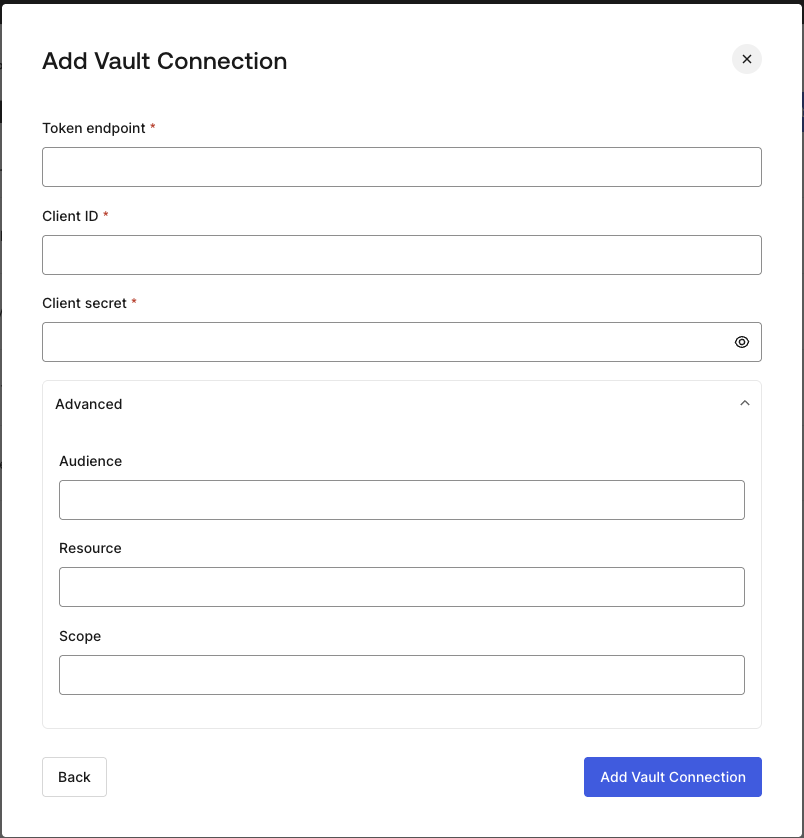
To configure a HTTP Vault Connection using **Client Credentials** authorization, you need to set the required parameters.
 ### Input settings
| Parameter | Description |
| - | - |
| Tenant Endpoint | Tenant Endpoint of the Authorization Server issuing the Access Tokens. |
| Client ID | Client ID of your M2M Application authorized for Custom API. |
| Client Secret | Client Secret of your M2M Application authorized for Custom API. |
| Audience (Optional) | Custom API Audience. Normally used for Custom APIs defined in Auth0. |
| Resource (Optional) | Custom API Resource. Standard parameter with similar meaning of Audience. |
| Scope (Optional) | Scope list in string format separated by spaces. |
## Configure your HTTP Vault Connection for API Key
To configure a HTTP Vault Connection using **API Key** authorization, you need to set the required parameters.
### Input settings
| Parameter | Description |
| - | - |
| Tenant Endpoint | Tenant Endpoint of the Authorization Server issuing the Access Tokens. |
| Client ID | Client ID of your M2M Application authorized for Custom API. |
| Client Secret | Client Secret of your M2M Application authorized for Custom API. |
| Audience (Optional) | Custom API Audience. Normally used for Custom APIs defined in Auth0. |
| Resource (Optional) | Custom API Resource. Standard parameter with similar meaning of Audience. |
| Scope (Optional) | Scope list in string format separated by spaces. |
## Configure your HTTP Vault Connection for API Key
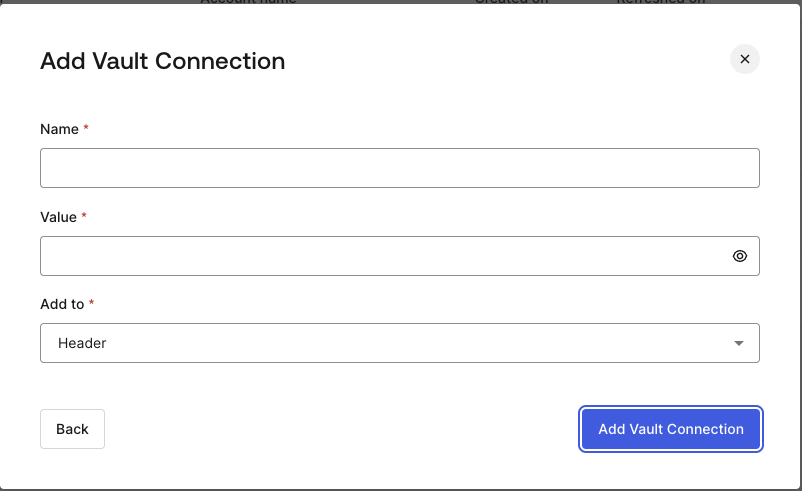
To configure a HTTP Vault Connection using **API Key** authorization, you need to set the required parameters.
 ### Input settings
| Parameter | Description |
| - | - |
| Name | API Key name to be added as Header or Query parameter. |
| Value | API Key value to be added as Header or Query parameter. |
| Add To | By default, it's Header. Determines whether to add the API Key as Header or Query parameter. |
## Configure your HTTP Vault Connection for Basic Authentication
To configure a HTTP Vault Connection using **Basic Auth** authorization, you need to set the required parameters.
### Input settings
| Parameter | Description |
| - | - |
| Name | API Key name to be added as Header or Query parameter. |
| Value | API Key value to be added as Header or Query parameter. |
| Add To | By default, it's Header. Determines whether to add the API Key as Header or Query parameter. |
## Configure your HTTP Vault Connection for Basic Authentication
To configure a HTTP Vault Connection using **Basic Auth** authorization, you need to set the required parameters.
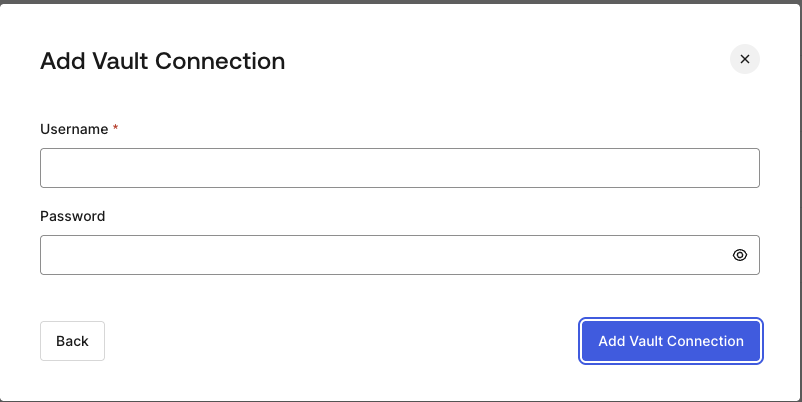 ### Input settings
| Parameter | Description |
| - | - |
| Username | Username to be concatenated and base64 encoded, then added as Basic Authorization Header parameter. |
| Password | Password to be concatenated and base64 encoded, then added as Basic Authorization Header parameter. |
HTTP Vault Connection with Basic Auth configuration, is looking forward to replace the currently built-in option at Flows HTTP Request Action.
### Input settings
| Parameter | Description |
| - | - |
| Username | Username to be concatenated and base64 encoded, then added as Basic Authorization Header parameter. |
| Password | Password to be concatenated and base64 encoded, then added as Basic Authorization Header parameter. |
HTTP Vault Connection with Basic Auth configuration, is looking forward to replace the currently built-in option at Flows HTTP Request Action.